rocket_launch
Getting Started
Getting Started with KnitBook
Welcome to the KnitBook closed test! We are excited to have you help us shape the future of textile craft tools.
Joining the Closed Test
To join our Android test track:
- Request Access: Click the “Join Test” button on our homepage.
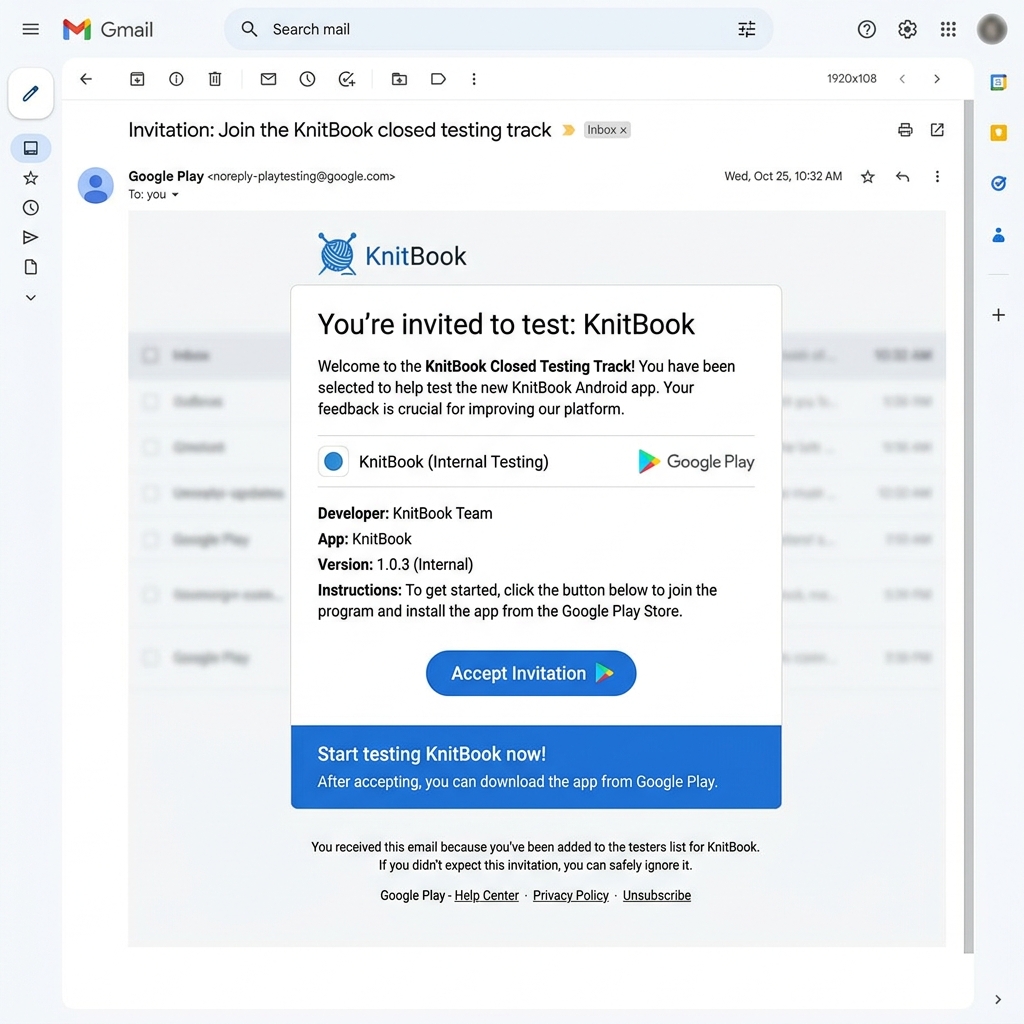
- Accept Invite: You will receive an email from Google Play with an invitation link.
- Download: Follow the link to the Play Store and download the KnitBook app.
Your First Project
Once you have installed the app:
- Tap the + button on the home screen.
- Enter your project name and select your craft type (Knitting, Crochet, etc.).
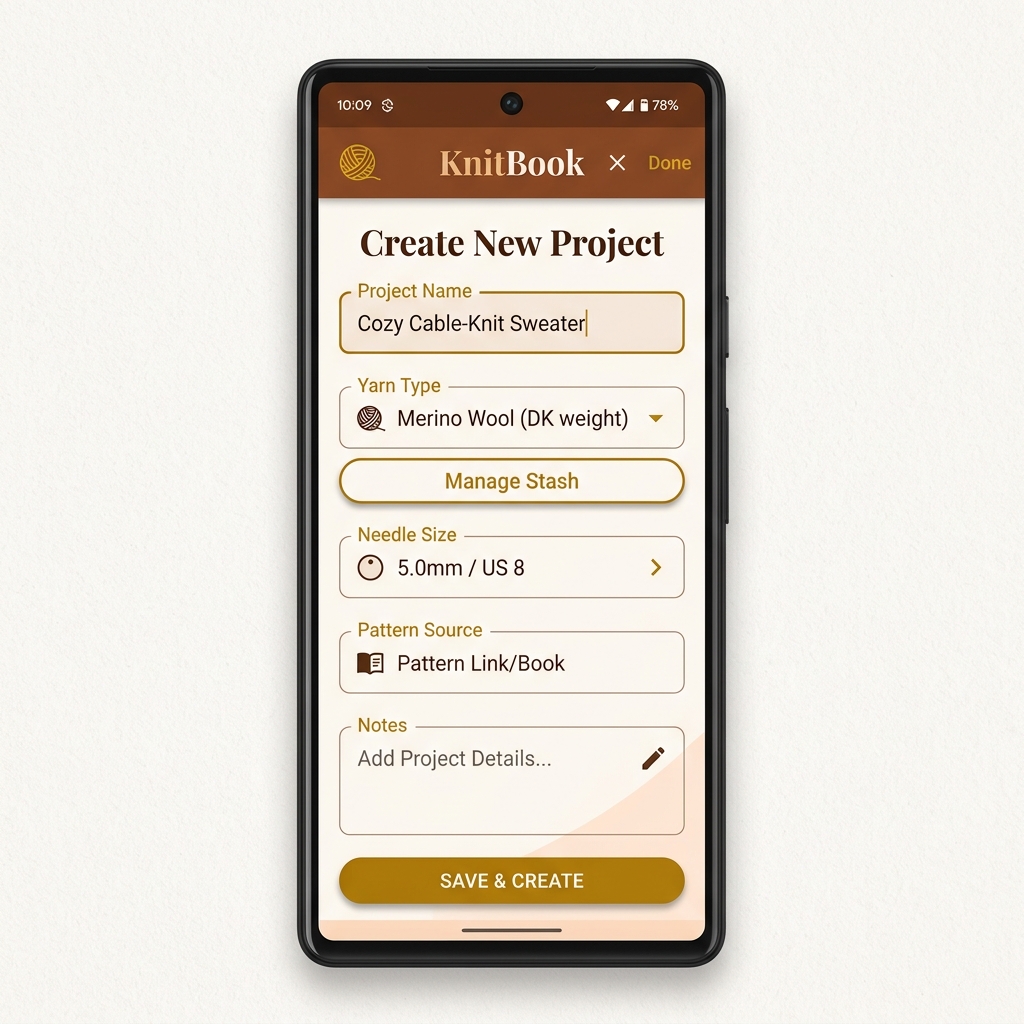
- Add your yarn details and needle sizes.
- You’re ready to stitch!